


spyware
 Mar 9, 2005 | 10:57 PM
#1
Thread Starter
Registered User
Joined: Jan 2004
Posts: 200
Likes: 0
From: Williams Lake B.C.
spyware
I have spyware on my comp, there is one program i cannot get rid of
"DSO Exploit" i have tried, Spy-bot, Ad-Ware, Counterspy and a few others and i cannot get rid of it!! can somebody please help?
cody
"DSO Exploit" i have tried, Spy-bot, Ad-Ware, Counterspy and a few others and i cannot get rid of it!! can somebody please help?
cody
Mar 9, 2005 | 11:07 PM
#2

Contributing Member
Joined: Mar 2003
Posts: 8,345
Likes: 0
From: Orange County, CA
Try a virus scanner... there's a free one that a couple guys have links to, the AVG Free edition. I just got it last night and it finally got rid of a spyware that my blocker was stopping and supposedly getting rid of each time I started up my computer.
I don't have the link though...
EDIT:
okay it's in this thread somewhere:
https://www.yotatech.com/forums/f98/pc-tips-44522/
I don't have the link though...
EDIT:
okay it's in this thread somewhere:
https://www.yotatech.com/forums/f98/pc-tips-44522/
Mar 9, 2005 | 11:11 PM
#3

Registered User
Joined: Jul 2003
Posts: 409
Likes: 0
Try going to Add/Remove programs and see if there is any suspicious programs. Try searching the internet for program/s that you find suspect before you remove them and in some cases it will come up as a spyware complaint by others. At least that's what I have done in the past.
Mar 9, 2005 | 11:15 PM
#4
Thread Starter
Registered User
Joined: Jan 2004
Posts: 200
Likes: 0
From: Williams Lake B.C.
well i am just having trounle with the one file. i can find it with spy-bot but i cannot get rid of it so if anybody knows about this file can you please help
i have heard about AVG, i will get it right now, thanks for the help so far
cody
i have heard about AVG, i will get it right now, thanks for the help so far
cody
Mar 9, 2005 | 11:17 PM
#5
Contributing Member
Joined: Mar 2003
Posts: 8,345
Likes: 0
From: Orange County, CA
From my limited understanding of hijacking spyware - I suspect that you have a hidden driver imbedded somewhere that creates the spyware everytime it's deleted.
The file it creates is openly visible but the hidden driver itself is deeper in hiding and randomly changes its name from computer to computer so that it can't be identified.
CWS and PeopleOnPage are among some of the most annoying that I've had to deal with. You keep deleting and they keep coming back.
I had to recently reformat and I've had a lot of luck with Microsoft's Beta Spyware tracker (based on Giant - something they recently took over) and the AVG virus scanner killed off the last remaining issue I was having (IST bar).
Again, this is just my experience.
The file it creates is openly visible but the hidden driver itself is deeper in hiding and randomly changes its name from computer to computer so that it can't be identified.
CWS and PeopleOnPage are among some of the most annoying that I've had to deal with. You keep deleting and they keep coming back.
I had to recently reformat and I've had a lot of luck with Microsoft's Beta Spyware tracker (based on Giant - something they recently took over) and the AVG virus scanner killed off the last remaining issue I was having (IST bar).
Again, this is just my experience.
Mar 10, 2005 | 04:12 AM
#6

Co-Founder/Administrator
iTrader: (1)
Joined: May 2002
Posts: 32,242
Likes: 21
From: Auburn, Washington
You may or may not have the real DSO.
http://www.askmehelpdesk.com/cgi-bin...num=1082096807
A month back I was getting that DSO thing to when I ran Spybot.
It would delete it, then it would be there next time I ran Spybot.
I do not have the exploit at all, it was a bug in Spybot.
Either Spybot or one of the Microsoft updates I ran has cleared the error, and I no longer get this message anymore.
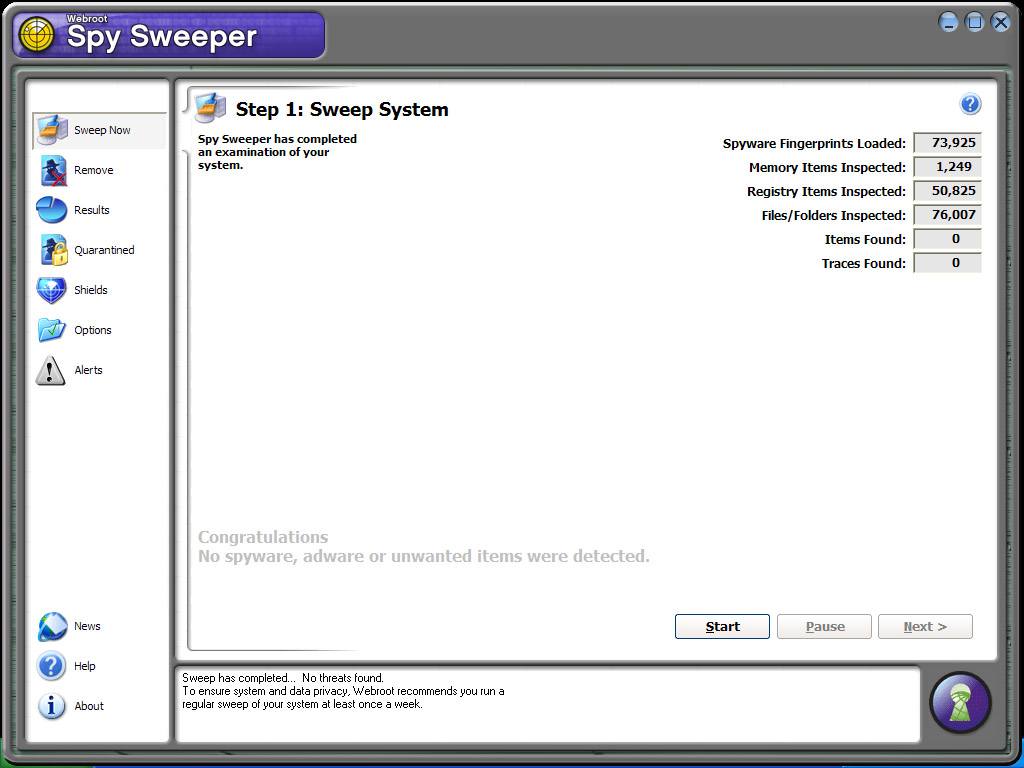
Spysweeper never did report it, which tells me it was a bug all along with Spybot.
Spybot also has info on this on their site which tells of the bug.
http://www.askmehelpdesk.com/cgi-bin...num=1082096807
A month back I was getting that DSO thing to when I ran Spybot.
It would delete it, then it would be there next time I ran Spybot.
I do not have the exploit at all, it was a bug in Spybot.
Either Spybot or one of the Microsoft updates I ran has cleared the error, and I no longer get this message anymore.
Spysweeper never did report it, which tells me it was a bug all along with Spybot.
Spybot also has info on this on their site which tells of the bug.
Mar 10, 2005 | 12:50 PM
#7

Registered User
Joined: Nov 2003
Posts: 66
Likes: 0
Dude, don't worry about dso_exploits, I am in IT and have never gotten rid of that malware, or if I have it always comes back, it is like Alexa, it comes back but from all of the research I have done and from what I have seen, DSO_exploit is relatively harmless and will not affect the performance of your machine. The ones you have to worry about are stuff like starware, virtual bouncer, new.net, tv-media, and 180- solutions, and any LSP winsock hijackers...those are examples of the real bad ones
Trending Topics
Mar 10, 2005 | 01:12 PM
#8
Registered User
Joined: Aug 2004
Posts: 687
Likes: 0
From: New Orleans, Louisiana
We have the worst worms, viruses, spyware, etc. being on a college campus. On several occasions fixing other people's computers, Ad-Aware Professional has been the only tool that I could successfully remove malware with. We keep all the computers Windows updated, run TrendMicro virus software, use Ad-Aware Pro, and sometimes a malware remover called Stinger. We have also switched all browsers to Mozilla.
Mar 10, 2005 | 01:21 PM
#9
Registered User
Joined: Nov 2003
Posts: 66
Likes: 0
This is what I do when removing malware...Go through add/remove programs, remove any software I can tell is bad, then go to program files and delete any remaining files and rename dll files that it will not let me delete...I delete temp files in all temp directories, remove cookies in all cookie directories, then run cwshredder, hijackthis, adaware SE, spybot 1.3, trend micro, lsp fix, toolbar cop. Then when they are all done I hack the registry of anything left. Stinger is a stand alone virus removal tool produced by network associates/mcafee. I run that sometimes if there is a virus that can't be removed. I think I do a couple of other things but I can't think of them right now. The reason I run so many programs is because -for example- adaware removes some stuff spybot doesn't find and spybot removes some stuff adaware doesn't find.
Mar 10, 2005 | 01:24 PM
#10
Registered User
Joined: Aug 2004
Posts: 687
Likes: 0
From: New Orleans, Louisiana
Originally Posted by t009166
Then when they are all done I hack the registry of anything left.
Mar 10, 2005 | 05:11 PM
#11
Thread Starter
Registered User
Joined: Jan 2004
Posts: 200
Likes: 0
From: Williams Lake B.C.
Originally Posted by Corey
You may or may not have the real DSO.
http://www.askmehelpdesk.com/cgi-bin...num=1082096807
A month back I was getting that DSO thing to when I ran Spybot.
It would delete it, then it would be there next time I ran Spybot.
I do not have the exploit at all, it was a bug in Spybot.
Either Spybot or one of the Microsoft updates I ran has cleared the error, and I no longer get this message anymore.
Spysweeper never did report it, which tells me it was a bug all along with Spybot.
Spybot also has info on this on their site which tells of the bug.
http://www.askmehelpdesk.com/cgi-bin...num=1082096807
A month back I was getting that DSO thing to when I ran Spybot.
It would delete it, then it would be there next time I ran Spybot.
I do not have the exploit at all, it was a bug in Spybot.
Either Spybot or one of the Microsoft updates I ran has cleared the error, and I no longer get this message anymore.
Spysweeper never did report it, which tells me it was a bug all along with Spybot.
Spybot also has info on this on their site which tells of the bug.
that site helped alot, but i am still confused, if you just make spybot ignore DSO then whon;t it just ignore it and not get rid of it?
cody
Mar 10, 2005 | 05:34 PM
#12
Co-Founder/Administrator
iTrader: (1)
Joined: May 2002
Posts: 32,242
Likes: 21
From: Auburn, Washington
In my settings I never told it to ignore it.
Have you updated your spyware software dat files, and also are you up to date on all of your Windows updates?
If not, update both, reboot, then run the software again to see if DSO took a hike.
Have you updated your spyware software dat files, and also are you up to date on all of your Windows updates?
If not, update both, reboot, then run the software again to see if DSO took a hike.
 Mar 10, 2005 | 06:12 PM
#14
Thread Starter
Registered User
Joined: Jan 2004
Posts: 200
Likes: 0
From: Williams Lake B.C.
yes all my updates are up to date, and i followed some instructions on the site you gave me and DSO is gone but the instructions kind of confused me, but its okay all seems to be fine now thanks
cody
cody
Mar 12, 2005 | 08:13 AM
#15

Contributing Member
Joined: Jun 2004
Posts: 3,950
Likes: 0
From: NNJ
Company: Avenue A, Inc.
Product: Cookie
Threat: Tracking cookie or cookie of tracking site
Company:BFast
Product: Cookie
Threat: Tracking cookie or cookie of tracking site
Company: DoubleClick
Product: Cookie
Threat: Tracking cookie or cookie of tracking site
These always pop up for me.
Product: Cookie
Threat: Tracking cookie or cookie of tracking site
Company:BFast
Product: Cookie
Threat: Tracking cookie or cookie of tracking site
Company: DoubleClick
Product: Cookie
Threat: Tracking cookie or cookie of tracking site
These always pop up for me.
Mar 14, 2005 | 11:49 AM
#17

Registered User
Joined: Jan 2003
Posts: 1,958
Likes: 1
From: Smithsburg, Maryland
Make sure when deleting spyware to turn off your system restore feature for Win ME/2000/XP users. Use a good registry cleaner along with the spyware removal programs.
When really having a bugger of a time turn off system restore, boot in safe mode, run spyware removers/registry cleaner, reboot, run spyware removers/registry cleaner, reboot and turn system restore back on.
Also if you can track down the offending website/domain, block it from your cpu.
When really having a bugger of a time turn off system restore, boot in safe mode, run spyware removers/registry cleaner, reboot, run spyware removers/registry cleaner, reboot and turn system restore back on.
Also if you can track down the offending website/domain, block it from your cpu.
Last edited by PirateFins; Mar 14, 2005 at 11:51 AM.
Mar 17, 2005 | 08:05 AM
#19
Registered User
Joined: Jul 2003
Posts: 392
Likes: 0
From: Hawaiian Islands
I got rid of mines following this: http://www.pchell.com/support/dsoexploit.shtml

Thread
Thread Starter
Forum
Replies
Last Post
adeptid
Computer Talk
48
Oct 20, 2005 06:00 AM
Stegall984R
Computer Talk
16
Sep 19, 2005 06:20 PM


