


In-Dash PC in my '98 4Runner
 Jul 18, 2011 | 07:24 PM
#1

Thread Starter
Registered User
Joined: Jul 2011
Posts: 17
Likes: 0
From: Longmont, CO
In-Dash PC in my '98 4Runner
Hey guys,
I've been lurking for a while (mainly doing research on lift kits and other off-road enhancements), and I thought I'd post the one thing I have to contribute so far: my install of an in-dash PC + other speakers and junk. I have very minimal experience in fabrication techniques, so I was pretty limited as far as how clean/minimal I was able to keep this project - especially in the back. I would like to eventually do something like this guy for the subs, cause i'm not very content with how much space they're taking up now :/
The following is mostly copypasta from my post over at MP3car.com - a great place for all you guys with full-on PC systems. Anyways, here's what I got:
Some hardware:
7" Lilliput touch screen
Acer Aspire Revo running Win 7 Home Premium (used to be XP) + Road/Ride Runner - I love this thing
Alpine V-Power MRP-F300 4/3/2 ch. amp
Dual something-or-other 2 ch. amp
8 or 10" Dual subs (I bought these subs and the sub amp all from a friend for $75. Nothing special, maybe looking to upgrade soon)
Sony something-or-other 3-way 6x9 speakers (rear)
stock (i think) speakers for the front.
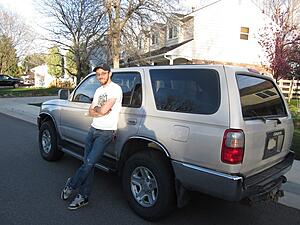
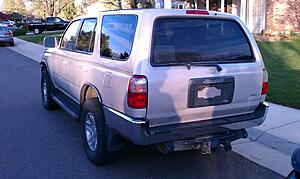
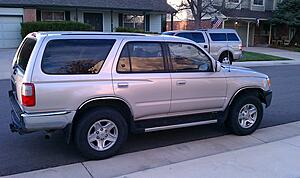
Anyways, here's me all happy with my new truck:
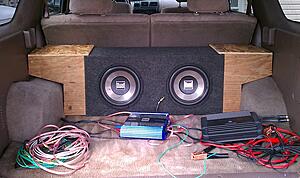
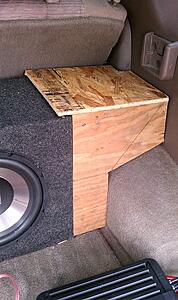
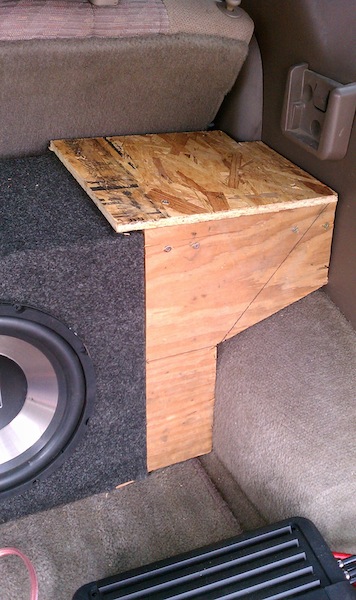
The sub box. The wood things on the ends are boxes i made to mount my 6x9s - I might cover them w/ carpet some day
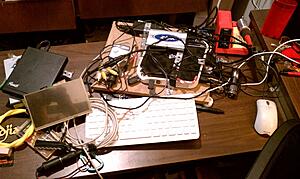
Getting all the hardware set up (upgrading to win 7, etc)
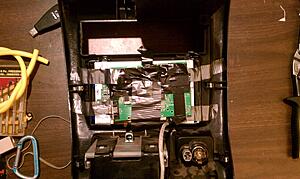
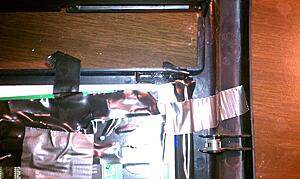
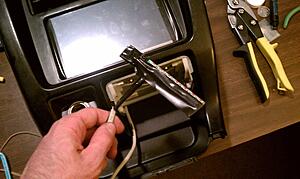
Here's how i mounted the screen in the dash. The vertical dimension of the screen couldn't have fit better, although there was about a 1/2" gap on each side. You'll see my ghetto fix for that in a sec. No, THE DUCT TAPE IS NOT HOLDING UP THE SCREEN, heh, It's being held on there with 4 sheet metal strips epoxy'd into the dash and bent behind the screen.
you can see the epoxy below:
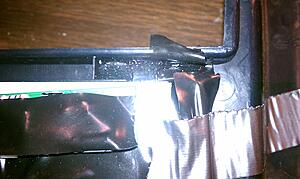
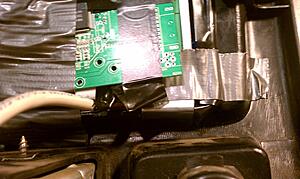
The cable coming off is some Cat5 running to the screen's button board
There's the ghetto fix. I actually don't think it looks too bad:
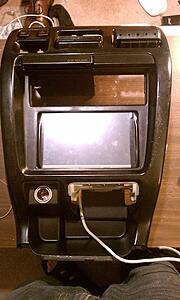
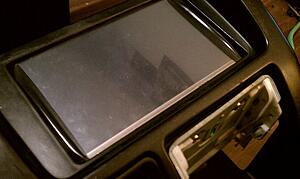
The button board (haven't figured out a clever way to mount these yet:
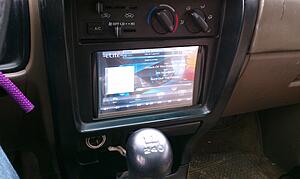
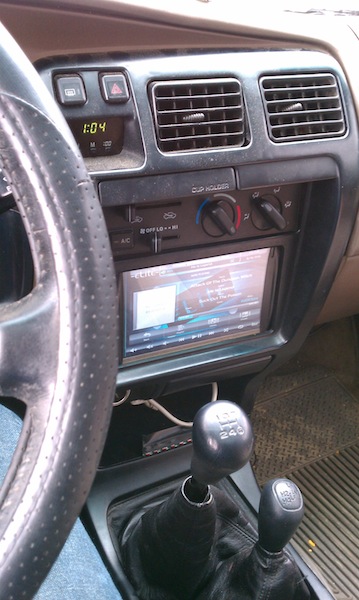
There it is on and running in the dash:
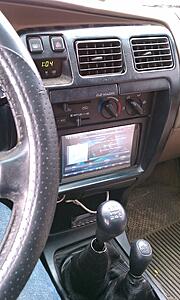
The (pretty much) finished product in the back:
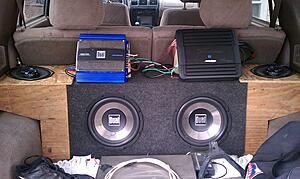
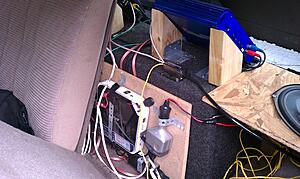
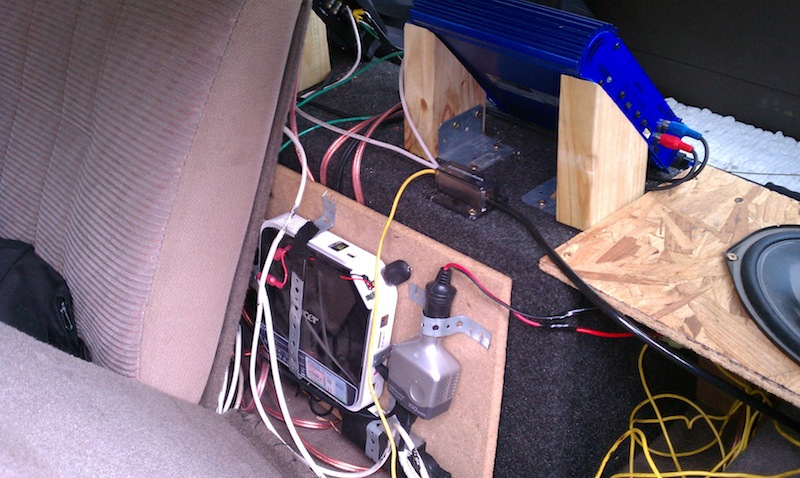
There's the computer and such mounted between the back seat and the sub box. Notice the power distro block above it:
This is the slew of cables running under the seats up to the dash:
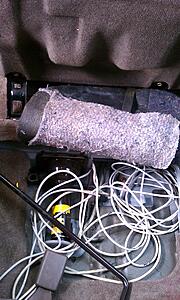
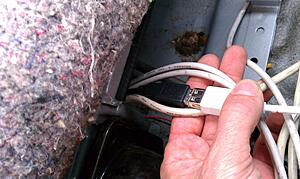
It's really only 4 cables though: VGA (bottom), USB for the touch screen (black), and the top two are USB extension cables for misc. purposes:
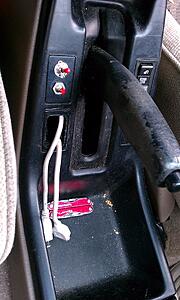
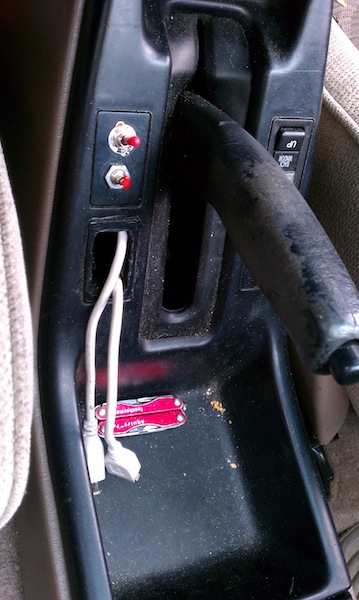
The top switch is a manual shut off for the amps (they're still hooked into the acc. line though), and the bottom button is the power button for the PC. That nasty hole below them was already there, so I went ahead and put my two misc. usb cables through it.
I've been lurking for a while (mainly doing research on lift kits and other off-road enhancements), and I thought I'd post the one thing I have to contribute so far: my install of an in-dash PC + other speakers and junk. I have very minimal experience in fabrication techniques, so I was pretty limited as far as how clean/minimal I was able to keep this project - especially in the back. I would like to eventually do something like this guy for the subs, cause i'm not very content with how much space they're taking up now :/
The following is mostly copypasta from my post over at MP3car.com - a great place for all you guys with full-on PC systems. Anyways, here's what I got:
Some hardware:
7" Lilliput touch screen
Acer Aspire Revo running Win 7 Home Premium (used to be XP) + Road/Ride Runner - I love this thing
Alpine V-Power MRP-F300 4/3/2 ch. amp
Dual something-or-other 2 ch. amp
8 or 10" Dual subs (I bought these subs and the sub amp all from a friend for $75. Nothing special, maybe looking to upgrade soon)
Sony something-or-other 3-way 6x9 speakers (rear)
stock (i think) speakers for the front.
Anyways, here's me all happy with my new truck:

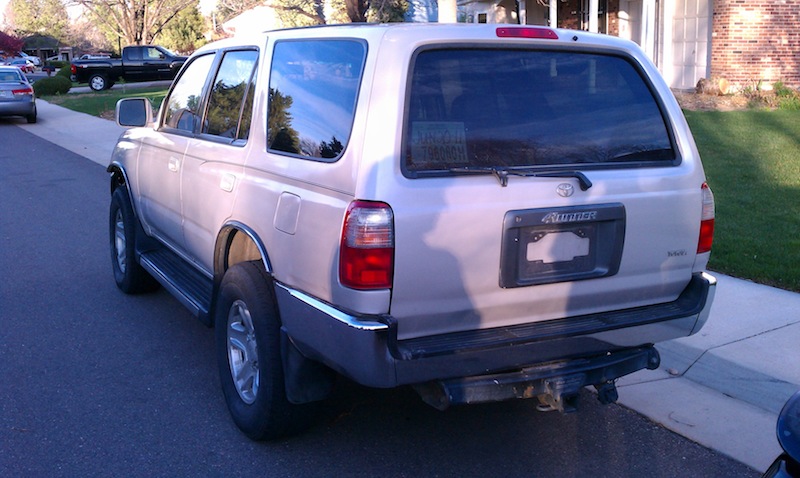

The sub box. The wood things on the ends are boxes i made to mount my 6x9s - I might cover them w/ carpet some day

Getting all the hardware set up (upgrading to win 7, etc)

Here's how i mounted the screen in the dash. The vertical dimension of the screen couldn't have fit better, although there was about a 1/2" gap on each side. You'll see my ghetto fix for that in a sec. No, THE DUCT TAPE IS NOT HOLDING UP THE SCREEN, heh, It's being held on there with 4 sheet metal strips epoxy'd into the dash and bent behind the screen.

you can see the epoxy below:
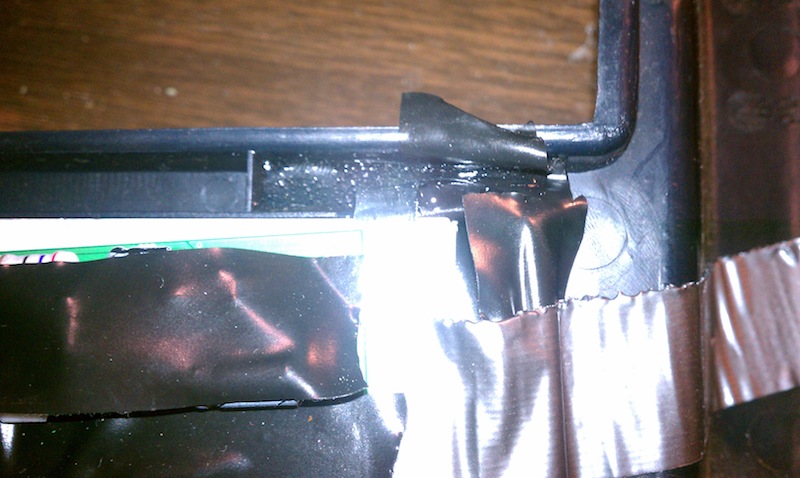

The cable coming off is some Cat5 running to the screen's button board
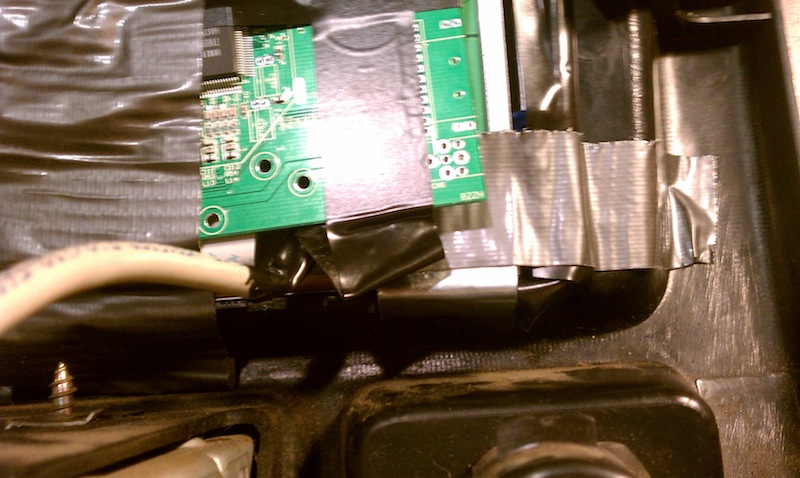
There's the ghetto fix. I actually don't think it looks too bad:
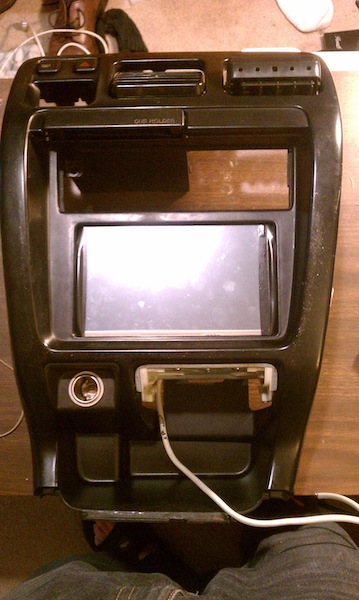

The button board (haven't figured out a clever way to mount these yet:

There it is on and running in the dash:

The (pretty much) finished product in the back:
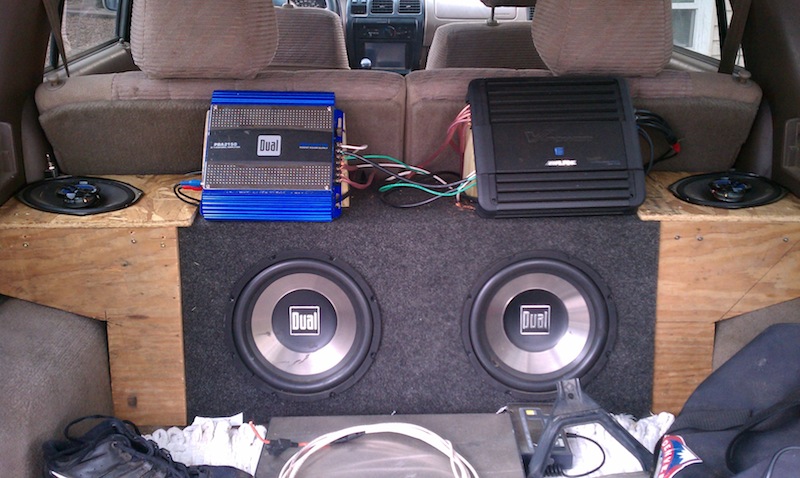
There's the computer and such mounted between the back seat and the sub box. Notice the power distro block above it:

This is the slew of cables running under the seats up to the dash:

It's really only 4 cables though: VGA (bottom), USB for the touch screen (black), and the top two are USB extension cables for misc. purposes:

The top switch is a manual shut off for the amps (they're still hooked into the acc. line though), and the bottom button is the power button for the PC. That nasty hole below them was already there, so I went ahead and put my two misc. usb cables through it.
 Jul 22, 2011 | 07:28 PM
#3

Contributing Member
Joined: Feb 2008
Posts: 12,248
Likes: 33
From: Lake City, Fl

OR, just have a bluetooth dongle installed in a USB port and use a bluetooth keyboard
Last edited by iamsuperbleeder; Jul 22, 2011 at 07:29 PM.
 Jul 22, 2011 | 09:34 PM
#5
Thread Starter
Registered User
Joined: Jul 2011
Posts: 17
Likes: 0
From: Longmont, CO
It is a full-on PC running Windows 7, yes, but it is not fully contained in the dash. That's what the thing is in this pic: 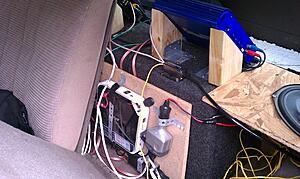
As for the typing - i obviously never do it while driving, but if for some reason i need to use a keyboard, i keep one behind the passenger's seat. The computer just hibernates when the car is off (it's like sleeping, but it saves everything in the RAM to the hard drive so it can turn completely off) and takes around 20 seconds to boot up because of this. It's running some software called Ride Runner which is designed for this specific purpose: car PCs. It's basically a music player (and videos, and has capabilities for GPS and tons of other stuff) with big on-screen buttons that are easy to press with a touchscreen. Also, it's free
As for the typing - i obviously never do it while driving, but if for some reason i need to use a keyboard, i keep one behind the passenger's seat. The computer just hibernates when the car is off (it's like sleeping, but it saves everything in the RAM to the hard drive so it can turn completely off) and takes around 20 seconds to boot up because of this. It's running some software called Ride Runner which is designed for this specific purpose: car PCs. It's basically a music player (and videos, and has capabilities for GPS and tons of other stuff) with big on-screen buttons that are easy to press with a touchscreen. Also, it's free
Jul 22, 2011 | 09:38 PM
#6
Thread Starter
Registered User
Joined: Jul 2011
Posts: 17
Likes: 0
From: Longmont, CO
Oh yeah, and this kind of happend to me already back when i had a similar setup in a Honda Accord. The screen i had was just kind of jerry-rigged in the dash with a couple of screws and zipties (...yeah). I was parked at school, and I came outside one morning to find the screen gone and all the wires snipped and such :/ Needless to say, i learned my lesson in making an effort for the screen to look a little harder to steal

Trending Topics


Thread
Thread Starter
Forum
Replies
Last Post
Flying91
86-95 Trucks & 4Runners (Build-Up Section)
45
Apr 11, 2024 04:39 PM
BeMiceElf
Misc Stuff (Vehicle Related)
7
Oct 10, 2015 09:40 PM


