Signature picture
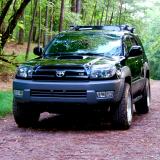
 How do I attach a photo with my signature on the left side?

 Apr 15, 2003 | 08:38 AM
#4

Contributing Member
Joined: Oct 2002
Posts: 1,105
Likes: 0
From: Los Alamos, NM
Hmm, I thought the f.a.q.led you all the way to the instructions, my bad. But if you go into your user cp, then click on edit options, there should be an [avitar] button at the bottom of that page that gets you there.
Apr 15, 2003 | 09:34 AM
#6

Co-Founder/Administrator
iTrader: (1)
Joined: May 2002
Posts: 32,242
Likes: 21
From: Auburn, Washington
Hmmmm, seems a lot here do not use this page I setup that is listed on the main yotatech.com if you scroll down and look for YotaTech on the web.
Once on that page, scroll down and look for the link that tells how to post avatars and pics.
https://www.yotatech.com/~corey/help.htm
Once on that page, scroll down and look for the link that tells how to post avatars and pics.
https://www.yotatech.com/~corey/help.htm

Trending Topics

 Apr 16, 2003 | 02:41 PM
#11
Registered User
Joined: Mar 2003
Posts: 188
Likes: 0
From: San Jose, CA
Originally posted by <96 Runner>
Who are you talking to?
Who are you talking to?
 Apr 16, 2003 | 03:03 PM
#13
Co-Founder/Administrator
iTrader: (1)
Joined: May 2002
Posts: 32,242
Likes: 21
From: Auburn, Washington
We can actually turn on that feature to put a pic or smiie in the sig file that goes under your post.
But we have it off to make the forum run better.
Especialy for those on dialup accounts.
But we have it off to make the forum run better.
Especialy for those on dialup accounts.

 It would probably take me a day to read one post if they were enabled...
Apr 16, 2003 | 04:33 PM
It would probably take me a day to read one post if they were enabled...
Apr 16, 2003 | 04:33 PM
#15
Co-Founder/Administrator
iTrader: (1)
Joined: May 2002
Posts: 32,242
Likes: 21
From: Auburn, Washington
Yes, even the bigger avatars we now have implemented here can slow a page down a tad.
But I felt the smaller ones did not show enough detail.
Many other forums only give you a 75x75 or 100x100 pixel avatar to use, and I think those are simply to small.
Many are proud of their rigs and like to show them off, and a bigger 140x140 avatar here looks better.
But I felt the smaller ones did not show enough detail.
Many other forums only give you a 75x75 or 100x100 pixel avatar to use, and I think those are simply to small.
Many are proud of their rigs and like to show them off, and a bigger 140x140 avatar here looks better.
Apr 16, 2003 | 08:05 PM
#17

Contributing Member
Joined: Sep 2002
Posts: 4,749
Likes: 0
From: Santa Clarita, California
Originally posted by Corey
Yes, even the bigger avatars we now have implemented here can slow a page down a tad.
But I felt the smaller ones did not show enough detail.
Many other forums only give you a 75x75 or 100x100 pixel avatar to use, and I think those are simply to small.
Many are proud of their rigs and like to show them off, and a bigger 140x140 avatar here looks better.
Yes, even the bigger avatars we now have implemented here can slow a page down a tad.
But I felt the smaller ones did not show enough detail.
Many other forums only give you a 75x75 or 100x100 pixel avatar to use, and I think those are simply to small.
Many are proud of their rigs and like to show them off, and a bigger 140x140 avatar here looks better.
exactly! besides in 75x75 you couldn't possibly see the fine detail of a certain ralph wiggum now could you?

or a 4runner, i guess.