


posting images
 Jan 16, 2006 | 06:37 PM
#1
Thread Starter
Contributing Member
Joined: Aug 2004
Posts: 1,006
Likes: 0
From: charlotte
posting images
when using a free site to host your pictures, use photobucket.
its very easy to put a picture in your post using photobucket...after uploading the picture onto your account, itll have three links. one of which will say "img"; all you have to do is copy that link, and paste it in your post, and you will have pictures posted, so you dont have to make people click links.
its very easy to put a picture in your post using photobucket...after uploading the picture onto your account, itll have three links. one of which will say "img"; all you have to do is copy that link, and paste it in your post, and you will have pictures posted, so you dont have to make people click links.
Jan 16, 2006 | 07:20 PM
#2
Contributing Member
Joined: Dec 2003
Posts: 4,586
Likes: 1
From: Richland, Washington
if photobucket wasn't down right now, i'd do it. if you can attach a file in a email, you can upload onto photobucket. its point, click, click, done.
Jan 16, 2006 | 07:29 PM
#3
Thread Starter
Contributing Member
Joined: Aug 2004
Posts: 1,006
Likes: 0
From: charlotte
at photobucket....it has a button for "browse". you just find it on your computer in which ever folder youve put the picture in.
it is kind of funny i say how photucket is a good site, and its down right now.
first time ive ever seen it down...or id post a picture in here. its fairly easy.
it is kind of funny i say how photucket is a good site, and its down right now.
first time ive ever seen it down...or id post a picture in here. its fairly easy.
Jan 16, 2006 | 08:12 PM
#4
Thread Starter
Contributing Member
Joined: Aug 2004
Posts: 1,006
Likes: 0
From: charlotte
great link. hopefully this thread will help many people out there who are still experiencing difficulty posting pictures.
Feb 16, 2006 | 03:28 AM
#5

Registered User
Joined: Oct 2005
Posts: 182
Likes: 0
From: Gallup NM
Perfect, thanks for the tip...this is exactly what I have been looking to do!!!
Sweet!
Sweet!
Feb 26, 2006 | 10:41 PM
#6
Contributing Member
Joined: Feb 2006
Posts: 1,876
Likes: 1
From: Gulfport, Mississippi
image
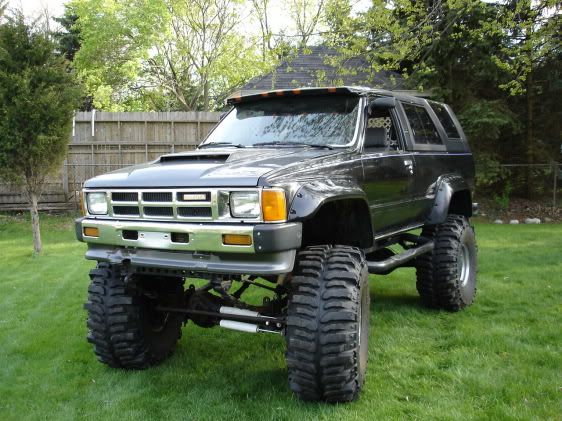
I hope this works.
Feb 27, 2006 | 11:57 AM
#7
Thread Starter
Contributing Member
Joined: Aug 2004
Posts: 1,006
Likes: 0
From: charlotte
you guys seem to have the hang of it!
Trending Topics
Feb 27, 2006 | 12:20 PM
#8

Contributing Member
Joined: Jul 2002
Posts: 3,112
Likes: 0
From: Atl. Georgia
another good way if you dont want to start an account is to use www.imageshack.us .
after you upload it, it gives you all sorts of codes to put the picture where you want.
after you upload it, it gives you all sorts of codes to put the picture where you want.
Mar 22, 2006 | 04:18 PM
#9

Contributing Member
Joined: Jul 2004
Posts: 988
Likes: 0
From: Ft. Collins, Co
 plus for image shack you don't have to have an account.
 It's all I use.
Mar 26, 2006 | 09:58 AM
#10
Contributing Member
Joined: Aug 2005
Posts: 424
Likes: 0
From: Monroe, NC
Thanks for the help!
 Mar 30, 2006 | 09:13 AM
#11
Registered User
Joined: Jan 2005
Posts: 575
Likes: 0
From: Vancouver, British Columbia
[IMG] [/IMG]
hope this works
[/IMG]hope this works
Mar 30, 2006 | 09:15 AM
#12
Registered User
Joined: Jan 2005
Posts: 575
Likes: 0
From: Vancouver, British Columbia
[IMG] [/IMG]
hope this works
[/IMG] hope this works
Apr 20, 2006 | 10:59 PM
#13

Contributing Member
Joined: Jan 2005
Posts: 445
Likes: 0
From: Rindge, NH
Last edited by Cebby; Nov 12, 2006 at 06:13 AM. Reason: Image too large. Rules say 800x800 max.
May 8, 2006 | 05:54 PM
#14
Registered User
Joined: Nov 2005
Posts: 1,205
Likes: 1
From: SouthWest Littleton, Colorado
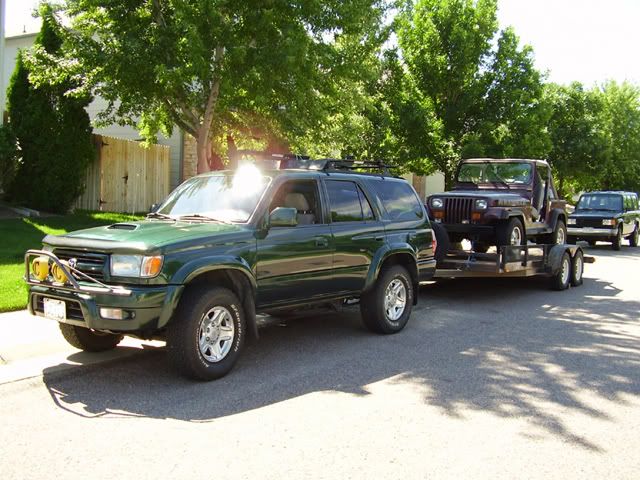
See if this works! and is the right size.
Last edited by Gerdo; May 8, 2006 at 05:59 PM.
May 18, 2006 | 04:11 AM
#15
Contributing Member
Joined: Aug 2005
Posts: 424
Likes: 0
From: Monroe, NC
test


Last edited by hlpressley; May 18, 2006 at 04:15 AM.
Jun 3, 2006 | 03:08 PM
#16

Registered User
Joined: Apr 2005
Posts: 70
Likes: 0
From: Northern Michigan
test

Jun 3, 2006 | 03:20 PM
#17

Registered User


Joined: Mar 2006
Posts: 2,586
Likes: 9
From: Atlanta, GA

Had to jump on the Bandwagon
 Jun 3, 2006 | 03:34 PM
#18
Contributing Member
Joined: Jul 2004
Posts: 988
Likes: 0
From: Ft. Collins, Co
Don't want to be left behind!

Jun 19, 2006 | 09:45 PM
#19

Contributing Member
Joined: Apr 2006
Posts: 988
Likes: 0
From: Vacaville,California
test

Last edited by reggie 00; Jun 19, 2006 at 09:48 PM.
Jun 19, 2006 | 09:48 PM
#20
Contributing Member
Joined: Apr 2006
Posts: 988
Likes: 0
From: Vacaville,California
cool, figured it out


