


How to in Photoshop
 Feb 7, 2006 | 01:46 PM
#1

Thread Starter
Co-Founder/Administrator
iTrader: (1)
Joined: May 2002
Posts: 32,242
Likes: 21
From: Auburn, Washington
How to in Photoshop
I have two pics I want to combine in a new pic to make a sig file for my work email.
I opened up a blank clear image, but can not figure out how to paste the two images into it.
If I can figure that out, then I can also use the magic wand and turn the whole thing into a clear GIF which would look good on a colored email background too instead of just using a white background in the email.
I know how to turn a JPG into a clear GIF with the wand, I am just stuck on the first part.
I want to make it look like the forklift is picking up the logo, and have it angled so it looks like it is really sitting on the forks.
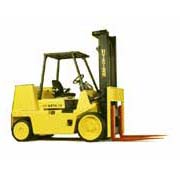

I opened up a blank clear image, but can not figure out how to paste the two images into it.
If I can figure that out, then I can also use the magic wand and turn the whole thing into a clear GIF which would look good on a colored email background too instead of just using a white background in the email.
I know how to turn a JPG into a clear GIF with the wand, I am just stuck on the first part.
I want to make it look like the forklift is picking up the logo, and have it angled so it looks like it is really sitting on the forks.
Feb 7, 2006 | 06:19 PM
#2

Registered User
Joined: Sep 2002
Posts: 11,199
Likes: 2
From: Pittsburgh, PA
Corey, use the place command. That will put them on their own layer. You can order the layers by dragging them (in the layers pallette) to change the order. The order in the list dictates the display order. (bottom layer in the list is underneath everything in the image)
Feb 7, 2006 | 06:30 PM
#3

Contributing Member
Joined: Jan 2006
Posts: 362
Likes: 0
From: Chile
here you go.
1. set the "boeing logo" layer property to "darken" (this makes the bottom layer show through the white background)
2. move the logo and rotate it into position over the forklift
3. flatten layers
4. save
1. set the "boeing logo" layer property to "darken" (this makes the bottom layer show through the white background)
2. move the logo and rotate it into position over the forklift
3. flatten layers
4. save
Last edited by TEPUI; Feb 7, 2006 at 06:32 PM.
Feb 8, 2006 | 02:26 AM
#5
Thread Starter
Co-Founder/Administrator
iTrader: (1)
Joined: May 2002
Posts: 32,242
Likes: 21
From: Auburn, Washington
Thanks Mike and Tepui for the info, and Tep for the samples.
I will have to try it that way.
I like how the forks are picking up the Boeing logo, something I could not do in my steps below.
You are gonna laugh.
I am not all that use to Photoshop for advanced stuff.
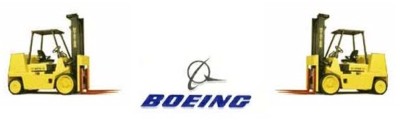
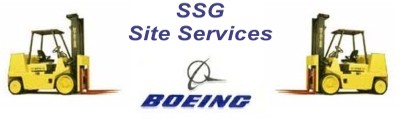
What I did was take the two pics I had in the first post above and put them into Front Page.
Then I took a screenshot, then opened up a new blank in Photoshop.
Saved it as a JPG, then opened it up in MS's Picture It! 99.
From there I cropped out all I did not want, then saved it as a 400x121 JPG.
It turned out pretty good, but that was three separate apps I had to use when I could have done it with just Photoshop if I had known how to do it.
These are JPGs, so they are not clear, but they do work on a white background like for email.
I will have to try it that way.
I like how the forks are picking up the Boeing logo, something I could not do in my steps below.
You are gonna laugh.
I am not all that use to Photoshop for advanced stuff.
What I did was take the two pics I had in the first post above and put them into Front Page.
Then I took a screenshot, then opened up a new blank in Photoshop.
Saved it as a JPG, then opened it up in MS's Picture It! 99.
From there I cropped out all I did not want, then saved it as a 400x121 JPG.
It turned out pretty good, but that was three separate apps I had to use when I could have done it with just Photoshop if I had known how to do it.
These are JPGs, so they are not clear, but they do work on a white background like for email.


Trending Topics
 Feb 9, 2006 | 12:55 PM
#9
Thread Starter
Co-Founder/Administrator
iTrader: (1)
Joined: May 2002
Posts: 32,242
Likes: 21
From: Auburn, Washington
No, I misunderstood you 
I did not even see that the forks were under the logo, very cool, I like.
That is what happens when you get old.
It takes a few takes for things to click sometimes.
I did not even see that the forks were under the logo, very cool, I like.
That is what happens when you get old.
It takes a few takes for things to click sometimes.
Feb 13, 2006 | 08:07 PM
#10

Contributing Member
Joined: Apr 2003
Posts: 329
Likes: 0
From: Sacramento, CA
You are gonna laugh.
I am not all that use to Photoshop for advanced stuff.
What I did was take the two pics I had in the first post above and put them into Front Page.
Then I took a screenshot, then opened up a new blank in Photoshop.
Saved it as a JPG, then opened it up in MS's Picture It! 99.
From there I cropped out all I did not want, then saved it as a 400x121 JPG.
It turned out pretty good, but that was three separate apps I had to use when I could have done it with just Photoshop if I had known how to do it.
I am not all that use to Photoshop for advanced stuff.
What I did was take the two pics I had in the first post above and put them into Front Page.
Then I took a screenshot, then opened up a new blank in Photoshop.
Saved it as a JPG, then opened it up in MS's Picture It! 99.
From there I cropped out all I did not want, then saved it as a 400x121 JPG.
It turned out pretty good, but that was three separate apps I had to use when I could have done it with just Photoshop if I had known how to do it.

Thread
Thread Starter
Forum
Replies
Last Post
Paul
95.5-2004 Tacomas & 96-2002 4Runners
7
Jan 19, 2005 08:56 PM


