Post Your Tests Here Use this sectin for testing your signature files, and for testing pictures/avatars

Posting pics

Thread Tools
 
Search this Thread
 
Old Dec 13, 2012 | 09:53 AM
  #1  
marmon77's Avatar
Thread Starter
Registered User
 
Joined: Dec 2012
Posts: 61
Likes: 0
Posting pics

HEY, I've downloade photobucket and used the direct link and the image link and still nothind comes up. Can some one walk me thru it please. I most be retarded
Reply
Old Dec 13, 2012 | 10:28 AM
  #2  
Dougy_Fresh's Avatar
Registered User
 
Joined: Dec 2012
Posts: 24
Likes: 0
Originally Posted by marmon77
HEY, I've downloade photobucket and used the direct link and the image link and still nothind comes up. Can some one walk me thru it please. I most be retarded
Assuming you have the photos loaded into photobucket, click on the picture you want and open it up. Find the spot that lists it in the format of [img]XXXXXXXX[/img] copy it all completely and then paste it where ever you want it.

Otherwise find the picture you want, right click on it and go to "properties". Look for "adress" and copy that entire address it gives you(double click will highlight it all) then just right click again and hit copy.

From there go to where you want it posted, type in [img]"paste your copied link"[/img] no spaces on either end.

Doug

Last edited by Dougy_Fresh; Dec 13, 2012 at 10:33 AM.
Reply
Old Dec 13, 2012 | 11:00 AM
  #3  
marmon77's Avatar
Thread Starter
Registered User
 
Joined: Dec 2012
Posts: 61
Likes: 0
Yes uploaded them but for some reason it's not working. Read "How To" bout 4-5 times and followed what it said I'll try it again later. Thanks
Reply
Old Dec 13, 2012 | 04:34 PM
  #4  
marmon77's Avatar
Thread Starter
Registered User
 
Joined: Dec 2012
Posts: 61
Likes: 0
test


Last edited by dropzone; Dec 13, 2012 at 06:48 PM.
Reply
Old Dec 13, 2012 | 04:35 PM
  #5  
marmon77's Avatar
Thread Starter
Registered User
 
Joined: Dec 2012
Posts: 61
Likes: 0
still not working not sure why
Reply
Old Dec 13, 2012 | 06:29 PM
  #6  
combatcarl's Avatar
Registered User
 
Joined: Oct 2009
Posts: 1,034
Likes: 1
From: Springfield, Orygun
For me, if I hover over the picture in the album, (not individually) the links show below it, then click the IMG code, and it copies it. Then I just paste wherever I want it.

Sent from my LG-P505 using YotaTech
Reply
Old Dec 13, 2012 | 06:49 PM
  #7  
dropzone's Avatar
Fossilized
iTrader: (6)
 
Joined: Oct 2005
Posts: 19,771
Likes: 456
From: PNW
you have an extra set of http code when you are copying the link;
http://http://i1340.photobucket.com/...on77/Yota1.jpg
i removed it and it got your pics to work

the extra http:// is screwing it up

Last edited by dropzone; Dec 13, 2012 at 06:50 PM.
Reply
Old Dec 13, 2012 | 06:55 PM
  #8  
StewsRunner's Avatar
Registered User
iTrader: (1)
 
Joined: Oct 2011
Posts: 987
Likes: 0
From: Tahoe, California
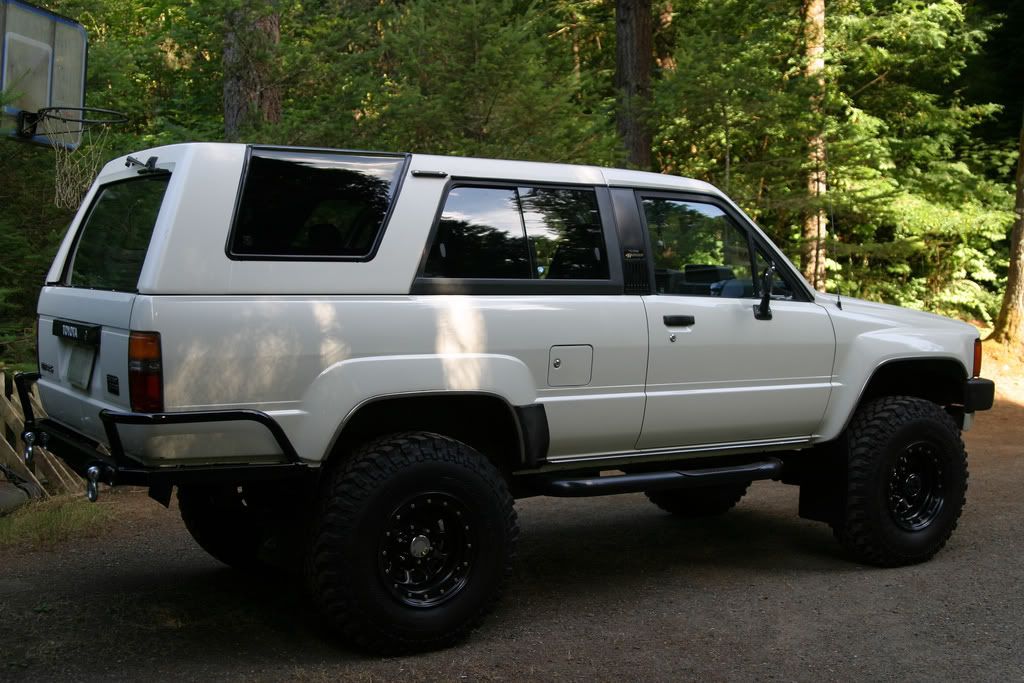
Holy shinny rear bumper! What did you use to paint that?!
Reply
Old Dec 13, 2012 | 07:17 PM
  #9  
dropzone's Avatar
Fossilized
iTrader: (6)
 
Joined: Oct 2005
Posts: 19,771
Likes: 456
From: PNW
here is a link with a how to
Embedding pictures in posts with using Photobucket

Reply
Old Dec 14, 2012 | 04:07 PM
  #10  
marmon77's Avatar
Thread Starter
Registered User
 
Joined: Dec 2012
Posts: 61
Likes: 0
Hey Stew wasn't trying to be misleading lol thats not my rig I was just trying to seee if I could send a pic and my son had sent me that pic and I had it saved. Sorry for the confusion. Yes a very nice Runner!
Reply
Related Topics
Thread
Thread Starter
Forum
Replies
Last Post
icentropy
86-95 Trucks & 4Runners
22
Sep 16, 2020 02:47 PM
GreatLakesGuy
Engines - Transmissions
28
May 20, 2016 10:27 AM
jon.r
General Vehicle Related Topics (Non Year Related)
8
Jul 11, 2015 03:34 PM


All times are GMT -8. The time now is 07:17 AM.