


Making transparent GIFs
 Sep 20, 2005 | 12:42 PM
#1

Thread Starter
Co-Founder/Administrator
iTrader: (1)
Joined: May 2002
Posts: 32,242
Likes: 21
From: Auburn, Washington
Making transparent GIFs
I have Photoshop 7, but find it a little difficult using sometimes 
Well, I have some hi res fan art from a fansite kit for Unreal Tournament 2004, and decided to play around with some of the TIFs in the folder.
I could not figure out how to make the transparency, so I called upon my good friend Dr. Google.
He sent me here.
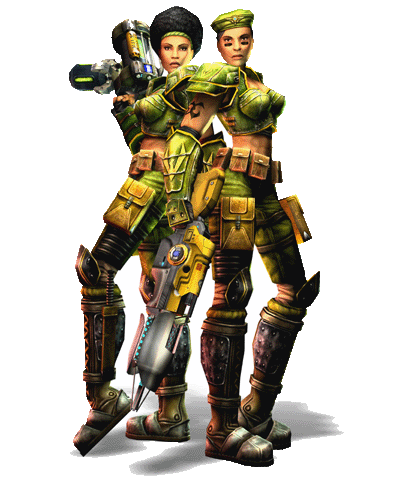
Worked like a charm, but the 2nd pic of the two women still has some leftover white background.
I will have to try my hand at it again later.
This is cool, now I can start designing some graphics I have been wanting to do for a long time.
You are never to old to learn new tricks
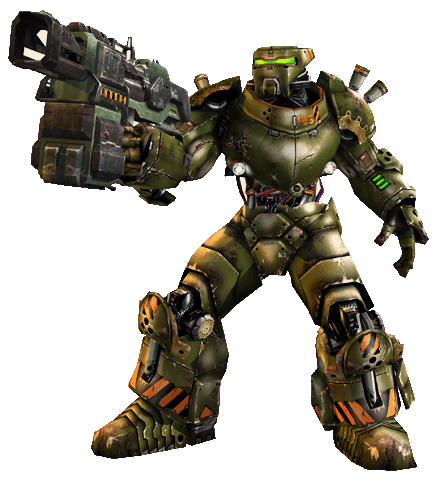
Well, I have some hi res fan art from a fansite kit for Unreal Tournament 2004, and decided to play around with some of the TIFs in the folder.
I could not figure out how to make the transparency, so I called upon my good friend Dr. Google.
He sent me here.
Worked like a charm, but the 2nd pic of the two women still has some leftover white background.
I will have to try my hand at it again later.
This is cool, now I can start designing some graphics I have been wanting to do for a long time.
You are never to old to learn new tricks
 Sep 20, 2005 | 01:07 PM
#4

Registered User
Joined: Sep 2002
Posts: 11,199
Likes: 2
From: Pittsburgh, PA
Corey - did you know that with Photoshop, there is a less complicated way to make transparent GIF's. Open the file in PS and and Export to GIF89a, select the dropper tool and touch the area you want transparent. Save the file and you're done.
Sep 20, 2005 | 01:40 PM
#5
Thread Starter
Co-Founder/Administrator
iTrader: (1)
Joined: May 2002
Posts: 32,242
Likes: 21
From: Auburn, Washington
Mike, I tired to save the above pic, but it says it is a BMP.
Not showing up here as a GIF like it should.
Now if I right click it and get the URL and open it up in a new window, I can then save it as a GIF.
Strange...
I will have to try your method listed here on doing it this way too.
Just looked in my PS, and I do not have that option, or I can not find it.
Not showing up here as a GIF like it should.
Now if I right click it and get the URL and open it up in a new window, I can then save it as a GIF.
Strange...
I will have to try your method listed here on doing it this way too.
Just looked in my PS, and I do not have that option, or I can not find it.

Thread
Thread Starter
Forum
Replies
Last Post
whereAreMyPants
86-95 Trucks & 4Runners
2
Jul 22, 2015 03:32 AM


