


Help, Widgets have taken over
 Mar 4, 2006 | 09:22 AM
#1

Thread Starter
Co-Founder/Administrator
iTrader: (1)
Joined: May 2002
Posts: 32,242
Likes: 21
From: Auburn, Washington
Help, Widgets have taken over
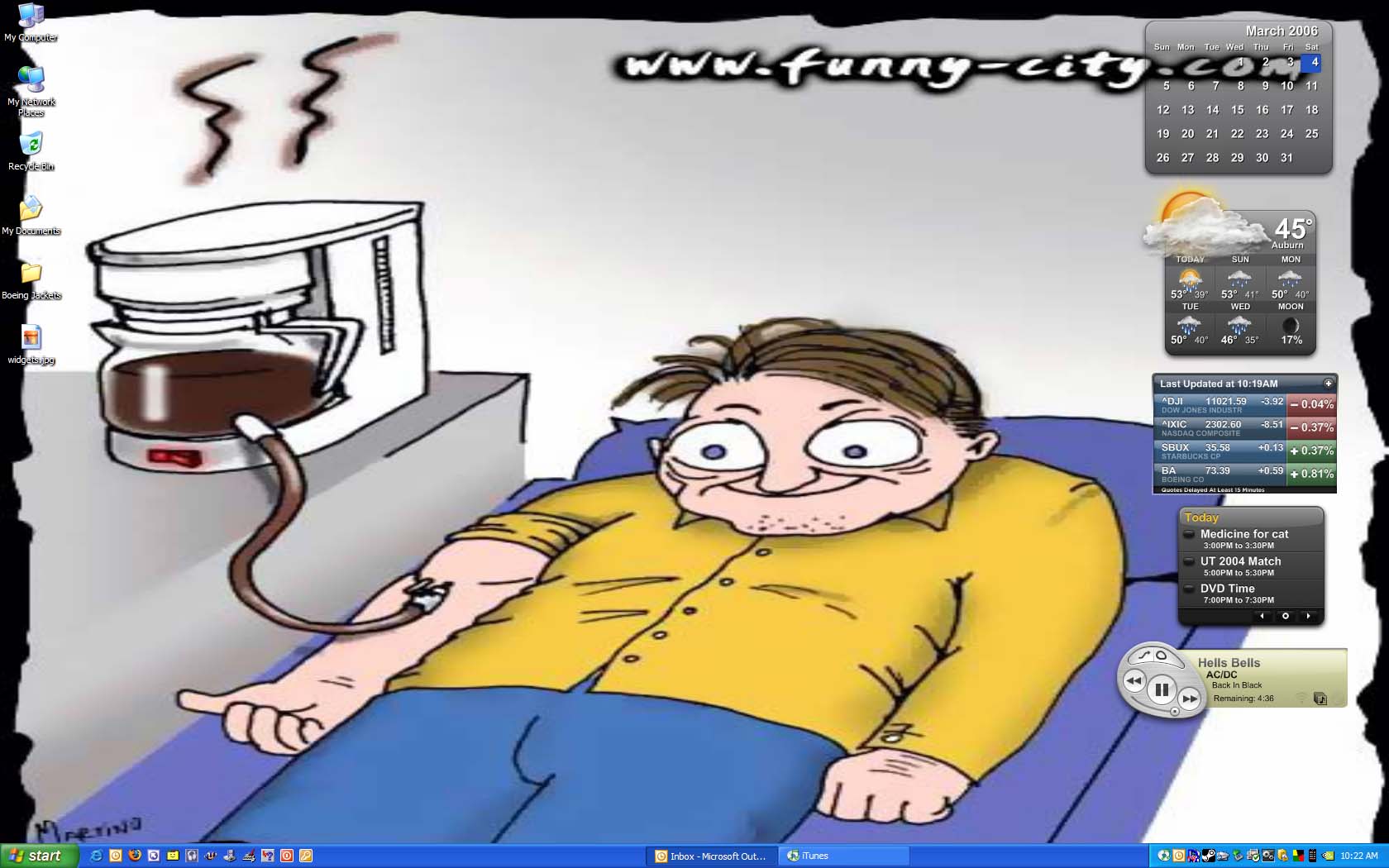
He he he he...
Widgets gone wild
http://www.pnw4runners.com/temp/widgets.jpg
This is cool, I have been meaning to download this for a very long time, every since they were formally known as Konfabulator or something like that until Yahoo bought them out.
Here is the URL in case you do not have it.
http://widgets.yahoo.com/
What is cool after you setup the ones you like, they will stay the next time you give your PC the boot.
I am just running a few of the stock ones for now.
The one on the bottom is an iTunes one, kind of useless since you can do the same with iTunes, and iTunes must be running anyways.
That one will be shut down.
The ones I will find the most useful though will be the Outlook Calendar and the weather one.
The rest will go.
Has anyone found some pretty good ones on their site that would be very useful?
PS, I had to use Churnd's pic too for a desktop background for another weekend desktop thread on another forum.

Widgets gone wild
http://www.pnw4runners.com/temp/widgets.jpg
This is cool, I have been meaning to download this for a very long time, every since they were formally known as Konfabulator or something like that until Yahoo bought them out.
Here is the URL in case you do not have it.
http://widgets.yahoo.com/
What is cool after you setup the ones you like, they will stay the next time you give your PC the boot.
I am just running a few of the stock ones for now.
The one on the bottom is an iTunes one, kind of useless since you can do the same with iTunes, and iTunes must be running anyways.
That one will be shut down.
The ones I will find the most useful though will be the Outlook Calendar and the weather one.
The rest will go.
Has anyone found some pretty good ones on their site that would be very useful?
PS, I had to use Churnd's pic too for a desktop background for another weekend desktop thread on another forum.
 Mar 4, 2006 | 10:05 AM
#2

Banned
Joined: Nov 2003
Posts: 1,473
Likes: 1
From: Intercourse, PA
I found widgets to be pretty lame, they do things that other things already do and just clutter the desktop imo....
to their credit they used a heck of a lot less resources than other similar things....
I would totoally install them again if someoen made a gaim widget
to their credit they used a heck of a lot less resources than other similar things....
I would totoally install them again if someoen made a gaim widget
 Mar 4, 2006 | 11:46 AM
#4

Registered User
Joined: Jan 2003
Posts: 4,087
Likes: 1
From: Hattiesburg, MS
Originally Posted by 89macrunner
i have OS X 10.4 which came with dashboard which was the first real big implement of widgets...i HARDLY ever use them

 Mar 4, 2006 | 04:40 PM
#7
Thread Starter
Co-Founder/Administrator
iTrader: (1)
Joined: May 2002
Posts: 32,242
Likes: 21
From: Auburn, Washington
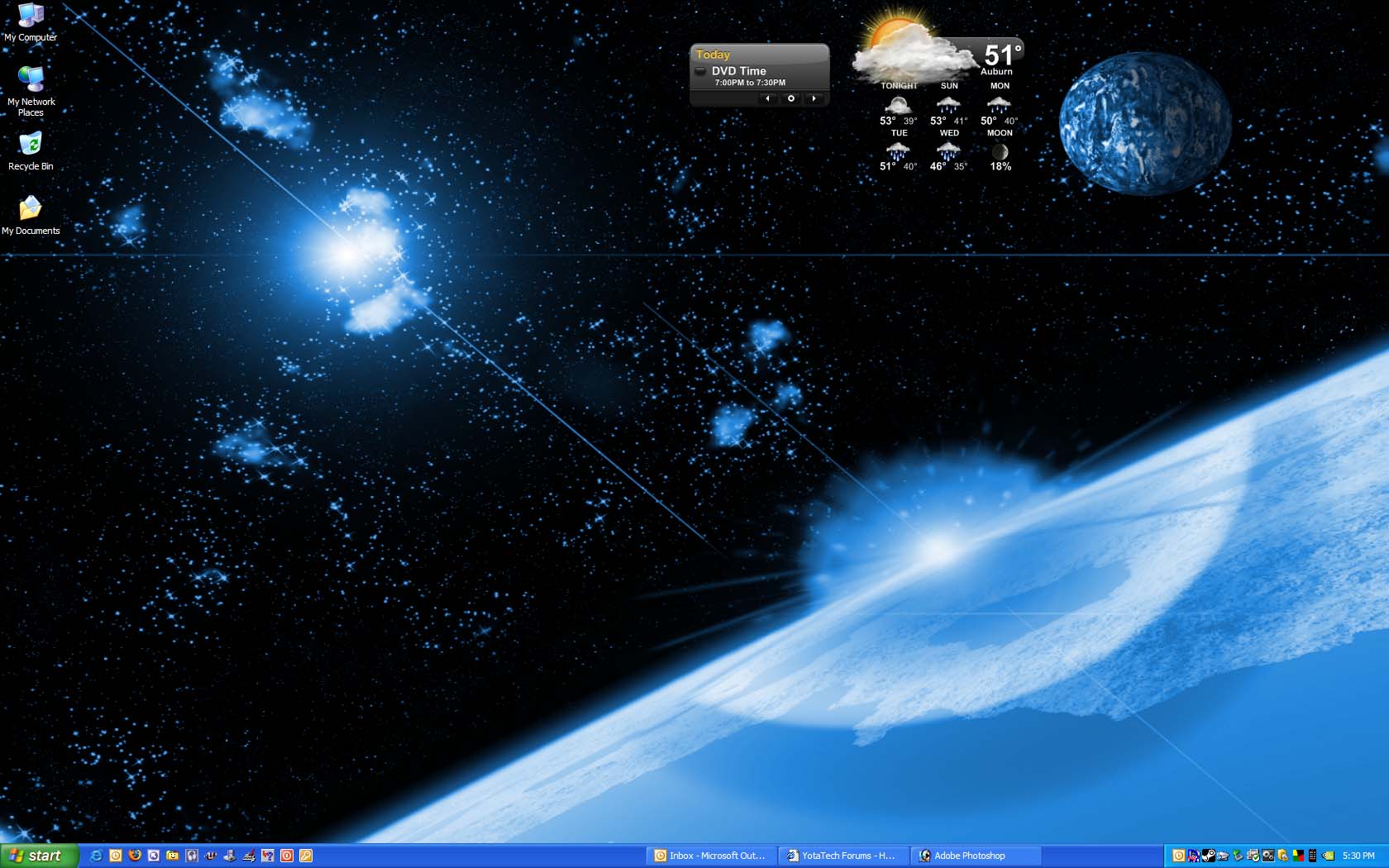
Mike, just DL the package in my first link.
That weather app comes with the Widgets.
A total of 20 come preinstalled, and you have the choice of the ones you want to run by right clicking the icon in your sys tray by your clock.
By the way, if you dig the background, I found it in a link in a desktop thread on the UT 2004 forum I use.
Here is the link, and the zip file contains 3 sizes.
http://www.deviantart.com/deviation/29644952/
Trending Topics
Mar 4, 2006 | 06:31 PM
#8

Contributing Member
Joined: Sep 2002
Posts: 1,610
Likes: 0
From: Mission, British Columbia
I've been using them for about a month now. I use the calender and the weather also. I always turn off the background on the widgets so they look more transparent. On my laptop I use the wireless strenght and battery meters.
I also like the currency exchanges and NHL scores.
I am not to concerned with the recource and memory usage, I didn't buy the computer just to idle along. It might as well work for the money I paid for it.
It isn't noticable on my P4 3.0Ghz (1 Gig ram). My laptop is a P4 2.4 (512MB) and on that on I only notice on boot up. Takes a bit before everything is loaded, but usually I just close the lid and it will just go to sleep. I don't boot it up to often, so normally it doesn't affect the speed of the computer either.
I also like the currency exchanges and NHL scores.
I am not to concerned with the recource and memory usage, I didn't buy the computer just to idle along. It might as well work for the money I paid for it.
It isn't noticable on my P4 3.0Ghz (1 Gig ram). My laptop is a P4 2.4 (512MB) and on that on I only notice on boot up. Takes a bit before everything is loaded, but usually I just close the lid and it will just go to sleep. I don't boot it up to often, so normally it doesn't affect the speed of the computer either.
Mar 8, 2006 | 10:20 PM
#9

Registered User
Joined: Sep 2002
Posts: 11,199
Likes: 2
From: Pittsburgh, PA
I love these things!!
Here's my top picks:
Always up:
Calendar
Widget Launcher (minimized)
Weather
Dayplanner
Activated thru the launcher when I need or want them:
Digital Clock
Google Adsense Monitor
Picture Frame
Pittsburgh Traffic
RSS_News_Reader (YT and others)
Sirius Satellite Radio (If you have it in your car this is free)
Universal Shipment Tracker (Tracks multiple shipments via UPS, Fedex, DHL, Purolator, USPS)
What's On TV (Customizable TV guide with alarms)
WiFi Signal
Thanks again Corey!!
Here's my top picks:
Always up:
Calendar
Widget Launcher (minimized)
Weather
Dayplanner
Activated thru the launcher when I need or want them:
Digital Clock
Google Adsense Monitor
Picture Frame
Pittsburgh Traffic
RSS_News_Reader (YT and others)
Sirius Satellite Radio (If you have it in your car this is free)
Universal Shipment Tracker (Tracks multiple shipments via UPS, Fedex, DHL, Purolator, USPS)
What's On TV (Customizable TV guide with alarms)
WiFi Signal
Thanks again Corey!!

Thread
Thread Starter
Forum
Replies
Last Post


