


How To Post Pics and Avatars
 Dec 12, 2005 | 08:25 AM
#1

Thread Starter
Registered User
Joined: Jan 2003
Posts: 4,087
Likes: 1
From: Hattiesburg, MS
How To Post Pics and Avatars
Click Here For Full Instructions/Guidelines!!!
Assuming the picture you want to post is already hosted somewhere, there's two ways to post a picture:
Use the Image button:
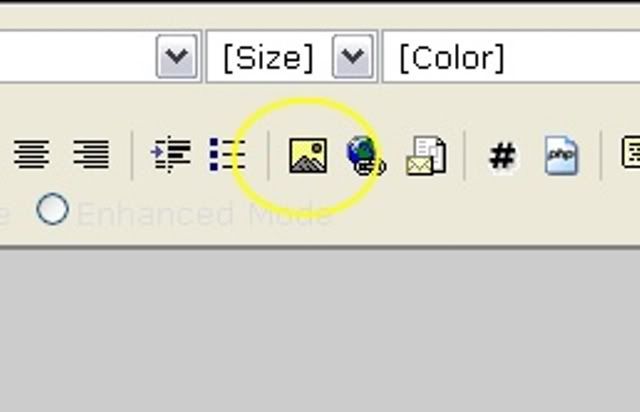
And you'll see this:
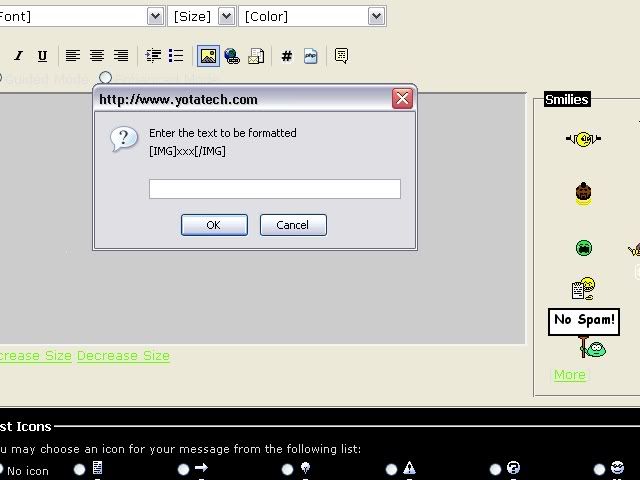
Copy and past the URL of the picture in that box. The proper URL being if you were to paste it into a browser, all you would see is the pic. Picture URL's end in the picture extension, such as .JPG, .GIF, .BMP, or even .PNG
The URL to the picture above: http://i3.photobucket.com/albums/y90...mage/image.jpg
Or Attach the picture to your post:
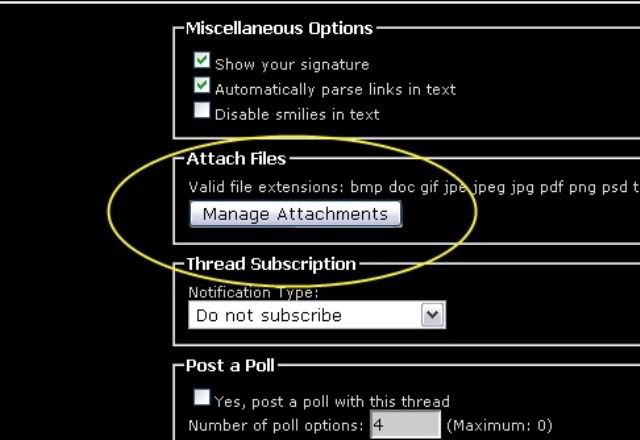
The first is the more popular option. If you haven't uploaded your picture, sign up with PhotoBucket and get started. There are many other hosting sites available, but PhotoBucket seems to be the easiest. It's what I use.
Assuming the picture you want to post is already hosted somewhere, there's two ways to post a picture:
Use the Image button:
And you'll see this:
Copy and past the URL of the picture in that box. The proper URL being if you were to paste it into a browser, all you would see is the pic. Picture URL's end in the picture extension, such as .JPG, .GIF, .BMP, or even .PNG
The URL to the picture above: http://i3.photobucket.com/albums/y90...mage/image.jpg
Or Attach the picture to your post:
The first is the more popular option. If you haven't uploaded your picture, sign up with PhotoBucket and get started. There are many other hosting sites available, but PhotoBucket seems to be the easiest. It's what I use.
Last edited by Churnd; Dec 12, 2005 at 02:07 PM.

Thread
Thread Starter
Forum
Replies
Last Post
FS[GreatLakes]: 22RE performance and stock parts (pic heavy)
GreatLakesGuy
Engines - Transmissions
28
May 20, 2016 10:27 AM
jon.r
General Vehicle Related Topics (Non Year Related)
8
Jul 11, 2015 03:34 PM


