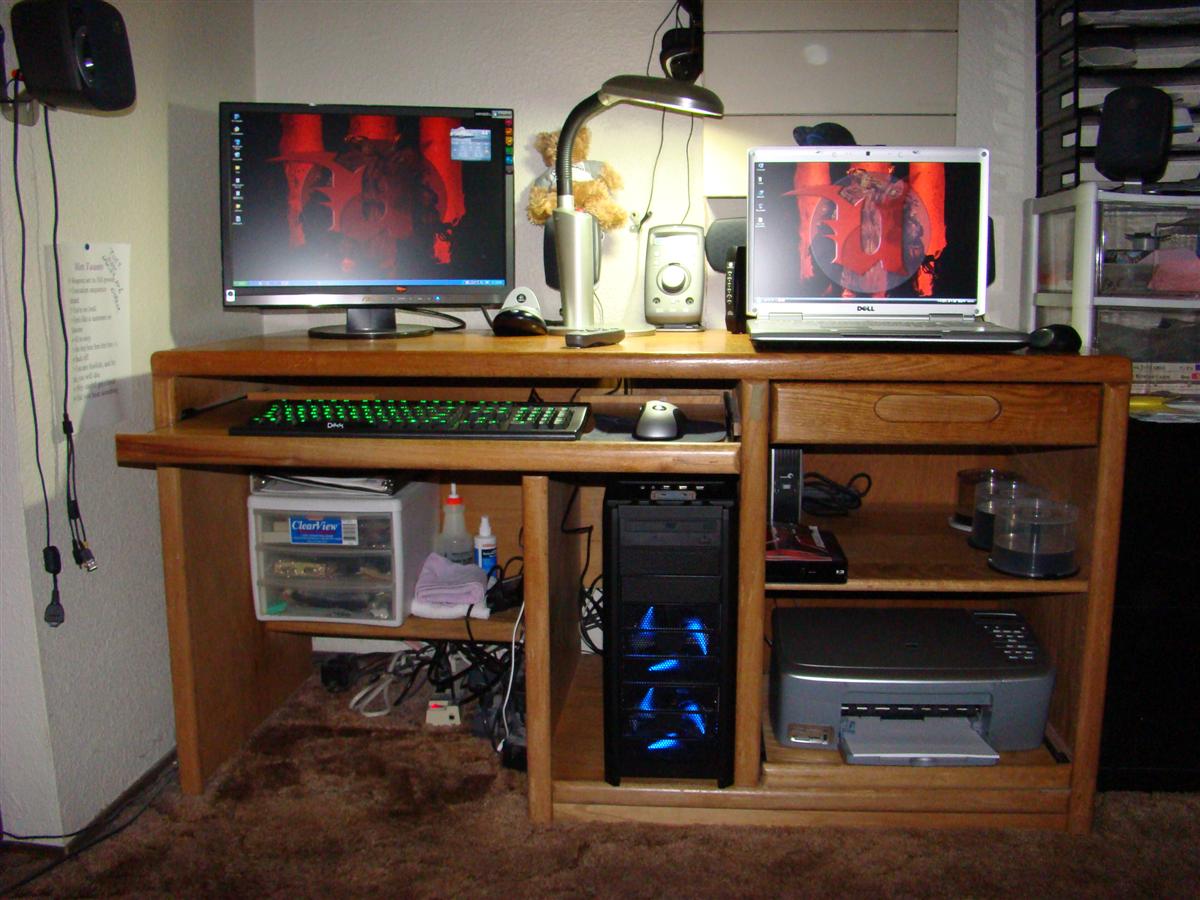
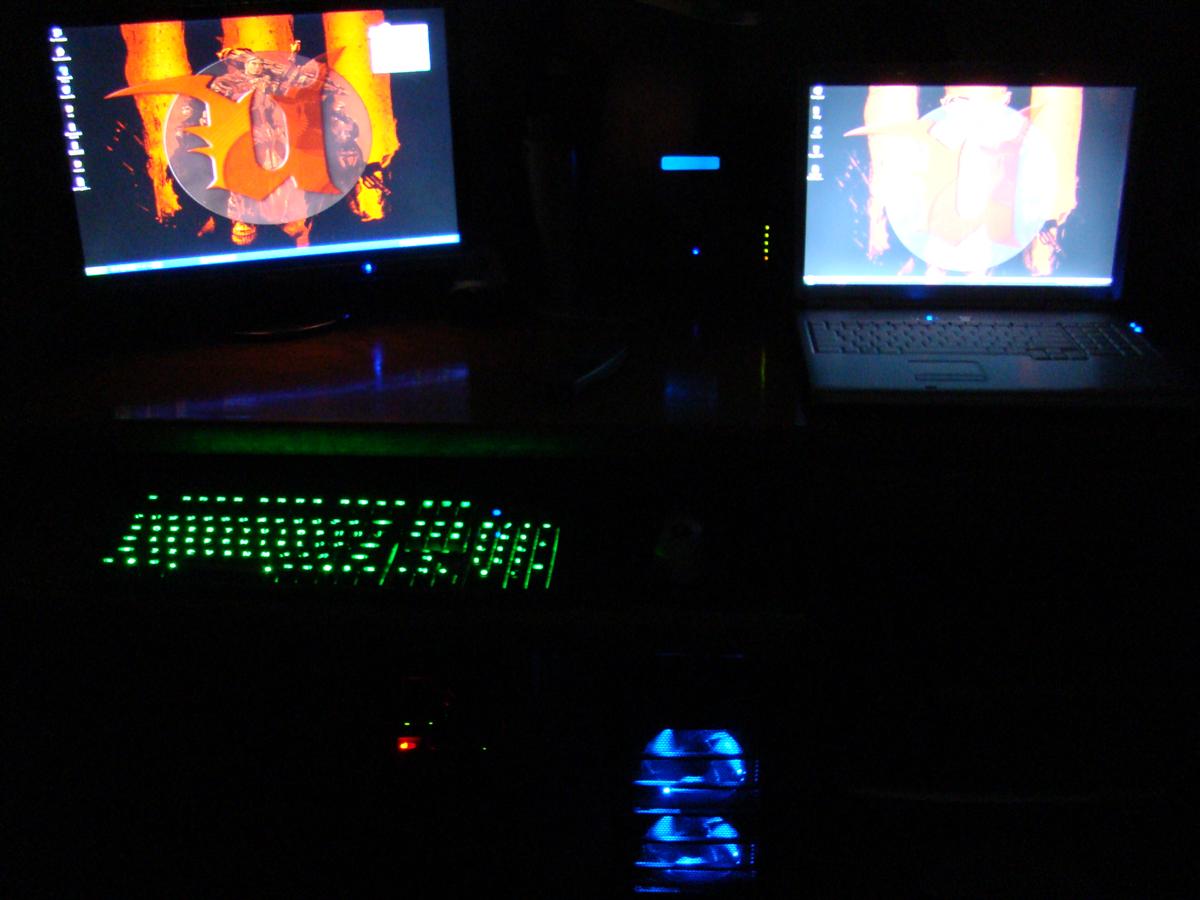
How does this gaming rig sound
 Dec 26, 2007 | 11:02 AM
#1

Thread Starter
Co-Founder/Administrator
iTrader: (1)
Joined: May 2002
Posts: 32,242
Likes: 21
From: Auburn, Washington
How does this gaming rig sound
Here are some specs I am looking at, and a few links provided.
The one for the Antec case has a video review too.
Case
Antec 900
http://www.antec.com/us/productDetails.php?ProdID=15900
CPU
Intel dual core 3.0G (4 MB cache) E6850
http://www.newegg.com/Product/Produc...82E16819115028
Ram
Corsair PC-8500 2x1 GB sticks
Motherboard
Asus P5N 32-E
http://www.newegg.com/Product/Produc...82E16813131073
Video card (one for now, may go SLI down the road)
EVGA 8800 GTS 640 MB superclocked
http://www.evga.com/products/moreInf...640-P2-N821-AR
Hard drive SATA
WD 250 MB 7200 RPM
Soundcard
Creative X-Fi Xtreme Gamer
http://www.newegg.com/Product/Produc...82E16829102005
Pioneer DVD+RW 16x16 black
PSU
Thermaltake Toughpower 650 watt
http://www.thermaltakeusa.com/produc...0104/w0104.asp
The one for the Antec case has a video review too.
Case
Antec 900
http://www.antec.com/us/productDetails.php?ProdID=15900
CPU
Intel dual core 3.0G (4 MB cache) E6850
http://www.newegg.com/Product/Produc...82E16819115028
Ram
Corsair PC-8500 2x1 GB sticks
Motherboard
Asus P5N 32-E
http://www.newegg.com/Product/Produc...82E16813131073
Video card (one for now, may go SLI down the road)
EVGA 8800 GTS 640 MB superclocked
http://www.evga.com/products/moreInf...640-P2-N821-AR
Hard drive SATA
WD 250 MB 7200 RPM
Soundcard
Creative X-Fi Xtreme Gamer
http://www.newegg.com/Product/Produc...82E16829102005
Pioneer DVD+RW 16x16 black
PSU
Thermaltake Toughpower 650 watt
http://www.thermaltakeusa.com/produc...0104/w0104.asp
Dec 26, 2007 | 11:17 AM
#2
Contributing Member
Joined: Apr 2003
Posts: 1,579
Likes: 0
From: Raleigh NC
everything looks fine but the video card, just get a 8800GT, cheaper and all the reviews i've read show the same performance as the GTS. The GTS is actually an older core, I'd have to go look but I think the GTS is 90nm node while the newer 8800GT is based on 65nm. The naming nomenclature is somewhat confusing. If you don't already know of it check out Anandtech.com, thats where I go for all my computer parts reviews. They have a great 8800 review in the vid card section.
edit, link added
http://www.anandtech.com/video/showdoc.aspx?i=3140
edit, link added
http://www.anandtech.com/video/showdoc.aspx?i=3140
Last edited by NCSU-4runner; Dec 26, 2007 at 11:19 AM.
Dec 26, 2007 | 01:49 PM
#3
Thread Starter
Co-Founder/Administrator
iTrader: (1)
Joined: May 2002
Posts: 32,242
Likes: 21
From: Auburn, Washington
Here is another link I saw on comparisons of cards.
http://www23.tomshardware.com/graphi...=716&chart=318
Yes, I have been to Anandtech's quite often.
I am kind of locked into that vid card for now, as the local shop where I am getting the tower, mother board, and CPU from are putting that together.
They do not have the GT one in stock right now.
A few there though game with the GTS, they said it did pretty well.
Anything should work better for UT III than my current outdated system.
The rest of the stuff I have on order from NewEgg, should be here soon.
I will finish the build by adding the other components to it.
Going with XP Pro again, so I picked up a new copy.
While Vista is getting better with patches, I would prefer to try it out later.
XP Pro has proven itself as a very good gaming OS.
This is exciting building a new gaming PC.
My current one I put together way back in mid 2002, and upgraded it early 2006 from 512 RAM to two GBs, took out the ATI 9600 Pro and put in the current EVGA 7800 AGP, added a SATA drive as the main drive, and a few other things.
While it plays the new UT III very good at 1080x768, I would rather crank it all the way up to 1680x1050 and have the eye candy on full blast.
This new PC should do that fine.
Someone had mentioned to me about the Intel quad cores, maybe down the road, but the dual core will be a huge jump in performance for me over my current PC.
I really like the case, two 120 mm fans up front, one 120 mm fan back aft, and a huge 200 mm fan on top.
The top one sucks the hot air out, the other three bring in outside air.
The case gets pretty good reviews.


http://www23.tomshardware.com/graphi...=716&chart=318
Yes, I have been to Anandtech's quite often.
I am kind of locked into that vid card for now, as the local shop where I am getting the tower, mother board, and CPU from are putting that together.
They do not have the GT one in stock right now.
A few there though game with the GTS, they said it did pretty well.
Anything should work better for UT III than my current outdated system.
The rest of the stuff I have on order from NewEgg, should be here soon.
I will finish the build by adding the other components to it.
Going with XP Pro again, so I picked up a new copy.
While Vista is getting better with patches, I would prefer to try it out later.
XP Pro has proven itself as a very good gaming OS.
This is exciting building a new gaming PC.
My current one I put together way back in mid 2002, and upgraded it early 2006 from 512 RAM to two GBs, took out the ATI 9600 Pro and put in the current EVGA 7800 AGP, added a SATA drive as the main drive, and a few other things.
While it plays the new UT III very good at 1080x768, I would rather crank it all the way up to 1680x1050 and have the eye candy on full blast.
This new PC should do that fine.
Someone had mentioned to me about the Intel quad cores, maybe down the road, but the dual core will be a huge jump in performance for me over my current PC.
I really like the case, two 120 mm fans up front, one 120 mm fan back aft, and a huge 200 mm fan on top.
The top one sucks the hot air out, the other three bring in outside air.
The case gets pretty good reviews.
Dec 26, 2007 | 03:20 PM
#4
Contributing Member
Joined: Apr 2003
Posts: 1,579
Likes: 0
From: Raleigh NC
Assembling a computer yourself is so easy, a screwdriver and an hour and you're done. As long as you do your research and make sure the CPU/MB/RAM are compatible the rest is plug and play. Every computer shop I've been to was a ripoff for both their component prices and labor, but then again thats how they pay for the retail space and employees. Not saying they shouldn't make a buck, but for something ANYONE can do on their own I wouldn't bother.
What does it matter if its not in stock at this shop, shipping is <$5 most of the time from newegg, and you'd have it by monday, and save $100 for a superior product.
Are they price matching newegg?
What does it matter if its not in stock at this shop, shipping is <$5 most of the time from newegg, and you'd have it by monday, and save $100 for a superior product.
Are they price matching newegg?
Last edited by NCSU-4runner; Dec 26, 2007 at 03:21 PM.
Dec 26, 2007 | 03:29 PM
#5
Contributing Member

Joined: Nov 2005
Posts: 856
Likes: 0
From: Gladstone, Oregon
Assembling a computer yourself is so easy, a screwdriver and an hour and you're done. As long as you do your research and make sure the CPU/MB/RAM are compatible the rest is plug and play. Every computer shop I've been to was a ripoff for both their component prices and labor, but then again thats how they pay for the retail space and employees. Not saying they shouldn't make a buck, but for something ANYONE can do on their own I wouldn't bother.
What does it matter if its not in stock at this shop, shipping is <$5 most of the time from newegg, and you'd have it by monday, and save $100 for a superior product.
Are they price matching newegg?
What does it matter if its not in stock at this shop, shipping is <$5 most of the time from newegg, and you'd have it by monday, and save $100 for a superior product.
Are they price matching newegg?
Also the biggest reason is that many people like to have somebody to turn to when things stop working. If you install all your hardware and software yourself you then have to spend your own time trying to troubleshoot if something stops working. But if you have a local shop do your setup you just tell them "the sound is cutting out on this pc you built please fix it" And assuming you have a service agreement (many do) you don't have to worry your little head about it.
Dec 26, 2007 | 03:39 PM
#6
Thread Starter
Co-Founder/Administrator
iTrader: (1)
Joined: May 2002
Posts: 32,242
Likes: 21
From: Auburn, Washington
Yes, I am just getting the tower, mother board, and CPU from them.
Assembling all the other goodies myself.
Also been doing more research, going with the EVGA or FXF 8800 GT in a 512 MB one.
From what I have read, it is better than the 640 MB 8800 GTS model.
I should have all the parts here by Monday if I finalize it down tonight.
The shop is matching NewEgg on the few items I am getting there.
This PC is gonna own UT III with all settings to maximum
Also I goofed on the HD.
Going with a Seagate SATA 350 GB one.
I prefer Seagate over WD.
Assembling all the other goodies myself.
Also been doing more research, going with the EVGA or FXF 8800 GT in a 512 MB one.
From what I have read, it is better than the 640 MB 8800 GTS model.
I should have all the parts here by Monday if I finalize it down tonight.
The shop is matching NewEgg on the few items I am getting there.
This PC is gonna own UT III with all settings to maximum
Also I goofed on the HD.
Going with a Seagate SATA 350 GB one.
I prefer Seagate over WD.
Dec 26, 2007 | 06:52 PM
#7

Contributing Member
Joined: Dec 2004
Posts: 2,057
Likes: 1
From: Tempe, AZ
that case is SUPER loud and pretty bright, but it will keep your stuff cool. my roommate has one and it keeps me up at night.
anyways.
get more ram its so cheap. max out xp with 4gb
good choice on xp pro...SP3 is supposed to be overall faster than vista SP1
maybe a quad core cpu..they arent TOO much more
Consider getting two HDD and running them in RAID 0..the speed difference is nuts!
the stock intel cpu cooler is pretty good but getting a little better one with some quality thermal paste never hurt anyone. especially if you are looking for a long lasting system!
Overall seems like a good setup!
anyways.
get more ram its so cheap. max out xp with 4gb
good choice on xp pro...SP3 is supposed to be overall faster than vista SP1
maybe a quad core cpu..they arent TOO much more
Consider getting two HDD and running them in RAID 0..the speed difference is nuts!
the stock intel cpu cooler is pretty good but getting a little better one with some quality thermal paste never hurt anyone. especially if you are looking for a long lasting system!
Overall seems like a good setup!
Trending Topics
Dec 26, 2007 | 07:04 PM
#8
Thread Starter
Co-Founder/Administrator
iTrader: (1)
Joined: May 2002
Posts: 32,242
Likes: 21
From: Auburn, Washington
Thanks, will give the 2 GB of RAM a run for awhile, then when I see that Corsair RAM go on sale, I will grab a few more sticks.
Was thinking about a 24" LCD to replace my current Dell 22" one, but my son and I came to the conclusion that the 22" one I have now is perfect for my deck, as we both sit a little more than 2' back from it.
A 24" might overwhelm us.
So I may pick up a 19" widescreen from that local shop by me.
That would go in the spare bedroom where my current tower will retire too.
My son is in there now with his Dell XPS with a 13.4" screen playing WOW with some friends, and he would be able to hook it up to the new 19" one.
Or he could load up WOW on my PC that is going to retire to that room.
Crap, I got PCs all over the place
I have my old P III 500 in there, that thing was last turned on when I formatted my current PC last July.
It does not get used much.

Was thinking about a 24" LCD to replace my current Dell 22" one, but my son and I came to the conclusion that the 22" one I have now is perfect for my deck, as we both sit a little more than 2' back from it.
A 24" might overwhelm us.
So I may pick up a 19" widescreen from that local shop by me.
That would go in the spare bedroom where my current tower will retire too.
My son is in there now with his Dell XPS with a 13.4" screen playing WOW with some friends, and he would be able to hook it up to the new 19" one.
Or he could load up WOW on my PC that is going to retire to that room.
Crap, I got PCs all over the place
I have my old P III 500 in there, that thing was last turned on when I formatted my current PC last July.
It does not get used much.
 Dec 27, 2007 | 07:15 AM
#10
Thread Starter
Co-Founder/Administrator
iTrader: (1)
Joined: May 2002
Posts: 32,242
Likes: 21
From: Auburn, Washington
I am not really into OC'ing.
I have done my present 2.4c chip up to 3.12 GHz fine, but strange things start to happen when overclocked and heat mix.
If I was going watercooled like my friends gaming rig, then I would do it.
But the 3.0 I got should be fine, and dual core.
Remember I am jumping up from technology from 2002, so this will be a screamer to me.
Now after ordering that vid card, I hear there is a new kid on the block even better.
The new 8800GTS.
That is the problem with computers.
You can spend $10K on a beautiful gaming rig, and it will be outdated within a week.
At least the 8800GT I ordered is a good step up from the other 8800GTS I was thinking about.
Dec 28, 2007 | 05:08 PM
#11

Contributing Member
Joined: Mar 2005
Posts: 1,871
Likes: 0
From: WA ,monroe
Dec 28, 2007 | 05:17 PM
#12
Thread Starter
Co-Founder/Administrator
iTrader: (1)
Joined: May 2002
Posts: 32,242
Likes: 21
From: Auburn, Washington
Sounds good Dan.
I am seriously thinking now of putting my present PC out in the living room to let it still perform its PVR duties, this way I do not have to stuff the two TV cards into the new PC.
If I put the present PC out there, is this what I need to connect to the new wireless network I setup last Monday?
http://infotechnow.com/shop/shopping...114&pr_no=5332
I am building this new PC to mainly handle the new UT III.
It looks OK on mine now, can not wait to get a much better frame rate and colors with the new one.
Eventually I will replace the 3.0 with a quad core and put in a second video card.
What are the specs on yours?
I am seriously thinking now of putting my present PC out in the living room to let it still perform its PVR duties, this way I do not have to stuff the two TV cards into the new PC.
If I put the present PC out there, is this what I need to connect to the new wireless network I setup last Monday?
http://infotechnow.com/shop/shopping...114&pr_no=5332
I am building this new PC to mainly handle the new UT III.
It looks OK on mine now, can not wait to get a much better frame rate and colors with the new one.
Eventually I will replace the 3.0 with a quad core and put in a second video card.
What are the specs on yours?
Dec 28, 2007 | 05:53 PM
#13
Contributing Member
Joined: Mar 2005
Posts: 1,871
Likes: 0
From: WA ,monroe
i went with an amd 5000+ black edition dual core, 4 gigs of ddr2 800, 8800 gt and a asus m2n e sli board that sucks because it wont let me change my vcore past 1.35v, but i can still get 3.1 ghz out of this cpu and the hottest it gets is 50c
Dec 28, 2007 | 05:59 PM
#14
Thread Starter
Co-Founder/Administrator
iTrader: (1)
Joined: May 2002
Posts: 32,242
Likes: 21
From: Auburn, Washington
I have heard I can OC the 3.0 with proper cooling to almost 4.0, but I am not going to try that for quite awhile.
I have to see how much more faster this is over my present 2.4c Intel with 2 GB of RAM and the eVGA 7800 card (APG) in it.
I have to see how much more faster this is over my present 2.4c Intel with 2 GB of RAM and the eVGA 7800 card (APG) in it.
 Jan 17, 2008 | 08:13 AM
#16
Thread Starter
Co-Founder/Administrator
iTrader: (1)
Joined: May 2002
Posts: 32,242
Likes: 21
From: Auburn, Washington
Found more info on my motherboard.
http://www.asus.com/products.aspx?l1...59&modelmenu=1
One thing I hear and a good friend of mine hears on his Asus mobo (his also has the heat pipes on it) is a clicking noise once in awhile.
I do not think it is a system beep from a mobo speaker.
Anyone familiar with these type of mobos that have the heat pipes on them?
Could that sound I hear be the heat pipes expanding or contracting as heat moves through them?
http://www.asus.com/products.aspx?l1...59&modelmenu=1
One thing I hear and a good friend of mine hears on his Asus mobo (his also has the heat pipes on it) is a clicking noise once in awhile.
I do not think it is a system beep from a mobo speaker.
Anyone familiar with these type of mobos that have the heat pipes on them?
Could that sound I hear be the heat pipes expanding or contracting as heat moves through them?
Jan 27, 2008 | 10:27 PM
#17

Registered User
Joined: Dec 2003
Posts: 221
Likes: 0
From: Dallas, TX
Your heatpipes should be silent, not making a clicking noise. I can't think of any way they'd make your noise - even if they weren't functioning properly. Any clicking that you hear is coming from a different source. Likely culprits are:
Wires rubbing against a fan
Bad bearing on a fan
Hard drive (or optical drive) stalling
Power supply
If the clicking is constant, I'd suspect a fan over anything else - try running your system with the side panel off, and stop each fan one at a time *DISCLAIMER - dont' get your fingertip sliced if you have a high powered fan in there - use your own judgement. I usually press down on the hub of the fan away from the blades, or I'll disconnect the fan from it's power supply source before turning the computer on. Don't forget the videocard fan!
~Bill
Wires rubbing against a fan
Bad bearing on a fan
Hard drive (or optical drive) stalling
Power supply
If the clicking is constant, I'd suspect a fan over anything else - try running your system with the side panel off, and stop each fan one at a time *DISCLAIMER - dont' get your fingertip sliced if you have a high powered fan in there - use your own judgement. I usually press down on the hub of the fan away from the blades, or I'll disconnect the fan from it's power supply source before turning the computer on. Don't forget the videocard fan!
~Bill
Jan 28, 2008 | 05:41 AM
#18
Thread Starter
Co-Founder/Administrator
iTrader: (1)
Joined: May 2002
Posts: 32,242
Likes: 21
From: Auburn, Washington
You know what I am thinking it is, as it does not sound like any of the others, I think it is a system beep.
Perhaps Asus got rid of the old type of speaker and beep?
This is more like a click.
It only will do it normally during the first 5 minutes of being turned on.
Maybe it is a heat/cooling warning.
I can turn on the Asus software that runs in Windows and see what my temps are, then post it here later.
The PC does run cool though, and everything is stable.
The case fans are also set to #1, the lowest of 3 positions.
Nice and quiet, even for 3 big 120 mm fans, and 1 HUGE 200 mm exhaust fan on the very top of the case.
Most others who have this same Antec 900 case have their fans set to low too.
Other than that noise during the first few minutes after boot up, this thing is a screamer.
The noise will only happen about twice within a few minutes or so, then it is done.
Perhaps Asus got rid of the old type of speaker and beep?
This is more like a click.
It only will do it normally during the first 5 minutes of being turned on.
Maybe it is a heat/cooling warning.
I can turn on the Asus software that runs in Windows and see what my temps are, then post it here later.
The PC does run cool though, and everything is stable.
The case fans are also set to #1, the lowest of 3 positions.
Nice and quiet, even for 3 big 120 mm fans, and 1 HUGE 200 mm exhaust fan on the very top of the case.
Most others who have this same Antec 900 case have their fans set to low too.
Other than that noise during the first few minutes after boot up, this thing is a screamer.
The noise will only happen about twice within a few minutes or so, then it is done.
Jan 28, 2008 | 08:16 PM
#19
Registered User
Joined: Dec 2003
Posts: 221
Likes: 0
From: Dallas, TX
The newest boards (at least the intel ones) don't connect to a case speaker anymore like they used to; they have a piezo on the board that makes the beeps. But they're definitely beeps, not buzzing.
If it's only the first 5 minutes, I'd still suspect a fan somewhere - the fans on many systems will run full tilt when you first turn the machine on, and then slow down after a few minutes if the system isn't running very hot.
Other than that, I dunno know what it could be.
That case is sweet though!
~Bill
If it's only the first 5 minutes, I'd still suspect a fan somewhere - the fans on many systems will run full tilt when you first turn the machine on, and then slow down after a few minutes if the system isn't running very hot.
Other than that, I dunno know what it could be.
That case is sweet though!
~Bill
Jan 29, 2008 | 12:55 AM
#20
Thread Starter
Co-Founder/Administrator
iTrader: (1)
Joined: May 2002
Posts: 32,242
Likes: 21
From: Auburn, Washington
Thanks, if I get time I will take off the side this weekend and listen at startup.
It is more of a "click" sound, hence why I at first thought it was the heat pipes.
First motherboard I have had with a heat exchanger of this sort on it.
The case looks rad at night with only the table lamp on, and looks even better in the dark.
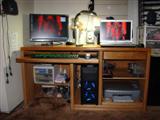
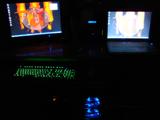
It is more of a "click" sound, hence why I at first thought it was the heat pipes.
First motherboard I have had with a heat exchanger of this sort on it.
The case looks rad at night with only the table lamp on, and looks even better in the dark.